BIStrainer's online audit tool helps you prepare for your HSE evaluation. With BIS you can easily:
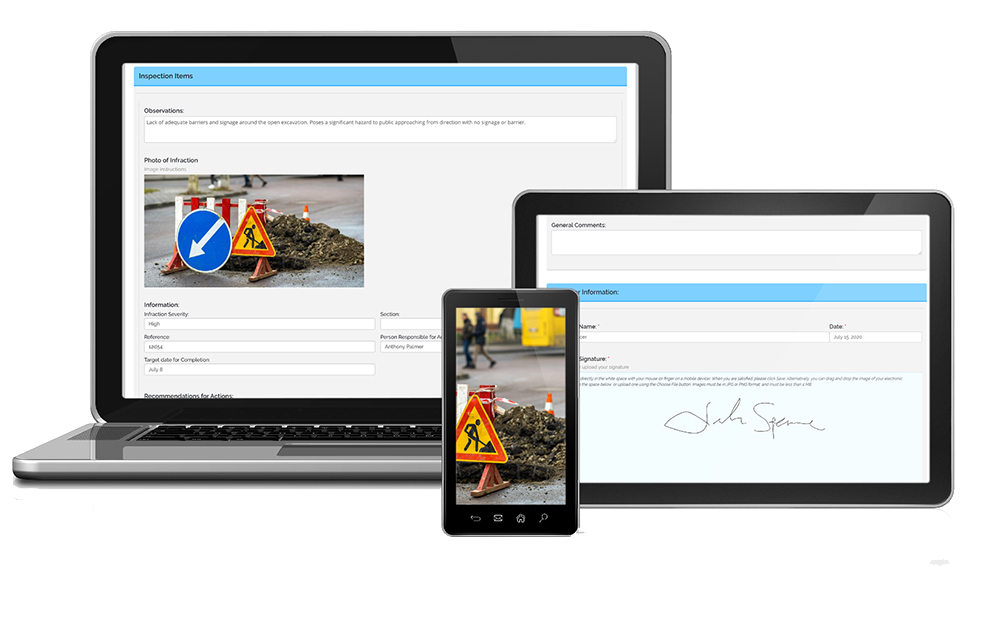
Define the audit's scope
Customize your digital inspection form
Assign the forms to relevant employees
Ensure company-wide compliance with safety policies
Communicate the results to management
No more lost paper audit forms. Digital forms are stored, and assigned, while retrieval of past forms is convenient. This HSE inspection tool empowers you to digitize and streamline your audit processes.
Construction Industry Recommended Courses
Making sure your audits are successful has never been simpler. BIStrainer offers a comprehensive set of tools that allow you to build and customize your audits for maximum efficiency and effectiveness.
Complete Customization

Organize your audits based on departments, work site locations, or safety topics using categories of your choice. Create a straightforward checklist for audit criteria or assign a Likert scale to each item for compliance calculations. You can even incorporate drag-and-drop areas for images, videos, and documents, enhancing the dynamic and detailed nature of your audits.
Advanced Notifications

Streamline your audit review process with advanced notification technology. Specify certain fields to trigger automatic notifications to supervisors when checked. And with escalating notifications, you can inform higher-level leadership if supervisors fail to take action within a set timeframe.
Instant Reporting
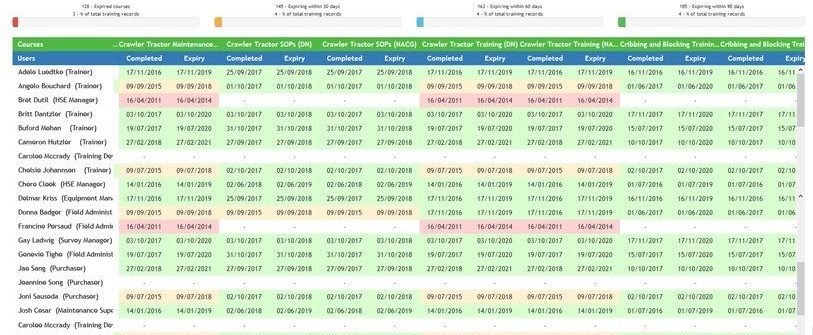
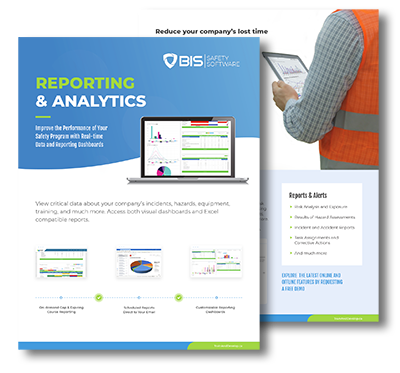
BIStrainer keeps comprehensive records of completed forms and consolidates all data for instant access through reporting. Generate summary reports to gain valuable insights into your safety practices and the effectiveness of your HSE management system. Leverage trending data and gap analysis capabilities to track improvements in your HSE systems. Since everything is digital and stored in the cloud-based software, you can conveniently access information anytime, anywhere using your smartphone or tablet.
Automatic Assignments

Ensure your audit forms reach the right auditors seamlessly. Designate users with auditing responsibilities as “evaluators” and set your forms to be assigned to them. You can also automate assignments based on location or user role. BIStrainer will distribute the audit forms on the scheduled day and time, whether for internal or external, third-party auditors.
Ready to Begin?
Our Safety Audit software is fueled by the Digital Forms feature, making health and safety inspections easier, efficient, and informative. For pricing details, visit our Contact Us page, and our team will provide a personalized estimate for the digital forms software module and any other modules that suit your organization's needs.
Learn how to start using this system in three simple steps.
Step 1 - Contact Our Team
If you want to conduct your own Health and Safety Audits, reach out to our team and let them know you're ready to begin. They will answer your questions and get things started.
Step 2 - Launch Your Branded Portal
Inspired by your company's colors and assets, we can create a custom branded portal for your forms, automated workflows, reporting, and more.
Step 3 - Professional Onboarding
Our dedicated onboarding specialists will guide you through the BIStrainer system, ensuring your business fully understands and maximizes its potential.

Digital Signatures Made Easy
Signing off on digital forms is a breeze! Whether you’re using a phone, tablet, or desktop, it’s simple to add your signature. Just use your touch screen or mouse to sign directly on the document. If you already have a digital signature saved on your computer, you can easily upload it. This means less time spent signing and scanning papers, and more time devoted to ensuring the safety of your employees. Stay efficient and keep your workplace secure with digital authorization sign-offs!

Use the SafeTapp App for HSE Audits
ONLINE or OFFLINE
Access your HSE Audit forms anytime, anywhere with the SafeTapp Mobile App. It’s now easier than ever to conduct audit inspections. Simply download the free app from the App Store or Google Play, login, and start using SafeTapp’s exciting features.
Schedule a Free Demo
Interested in simplifying while organizing audits through software? Get in touch with one of our experts today to arrange a complimentary demo.